Customers see your brand, not ours.
DineRoute pulls your colors, fonts, logo, and food photography from your existing website. Your smart link reads like a polished sub-section of your own brand.
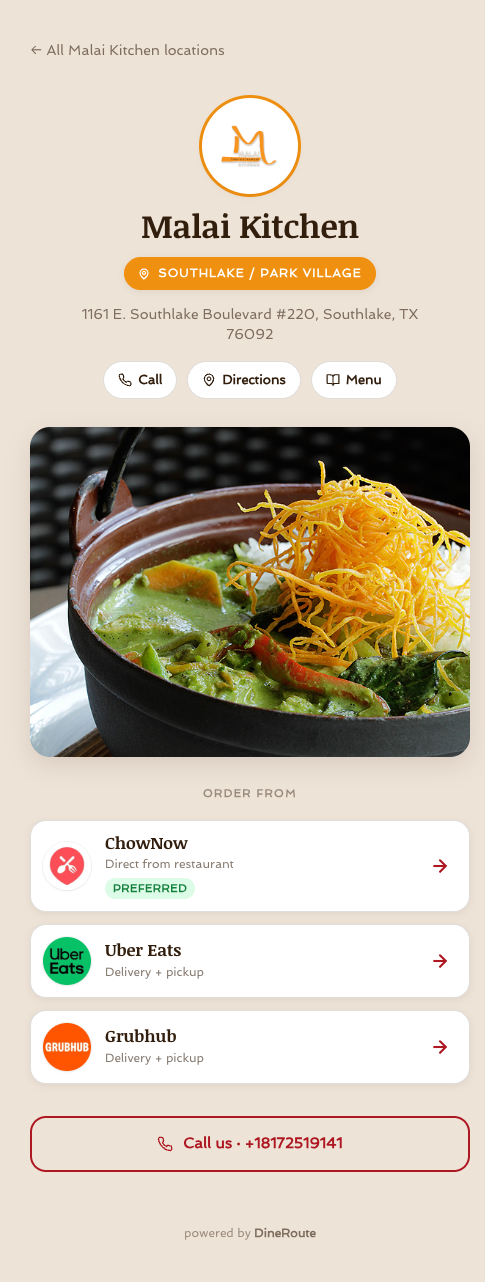
- Your colors, fonts, logo, and food photography applied across the smart link automatically.
- Custom domain support on Pro (order.yourbrand.com) — DineRoute becomes invisible.
- Footer-free on Pro. White-label end-to-end.
Trust at the moment of decision.
A diner taps your Meta ad with the intent to order dinner. They have maybe 8 seconds of patience before they bounce back to the feed and forget about you. In those 8 seconds, the landing page either signals "this is the real restaurant I just saw advertised" or it does not.
Generic Linktree-style pages do not. They open with a tiny circular avatar, your name in the platform\'s default font, and a stack of grey buttons. The visual disconnect from the ad creative is jarring. Conversion data shows diners drop off at 25-40% higher rates from generic smart links than from on-brand ones.
DineRoute pulls the visual identity that the diner just saw in your ad creative and replays it on the landing page. Same colors. Same typography. Same food photography. The page reads as a logical continuation of the ad rather than a third-party detour.
What we pull from your brand, and where it lands on the page.
Every piece is auto-pulled during onboarding, and every piece is fully editable afterwards.
Your colors, applied site-wide
The smart link uses your brand's primary, accent, and background colors throughout — the buttons, the headline, the hover states. Every diner sees your palette, not ours.
Your typography, loaded fresh
We detect the display + body font you use on your main site, load them from Google Fonts (or Brandfetch's typography match), and apply them across the smart link.
Your logo + hero photography
Your logo (with proper aspect ratio + dark-mode handling) sits above the fold. Hero food photography from your real menu, not stock imagery, anchors the page.
What the diner actually experiences.
This is a side-by-side of the two smart-link archetypes a restaurant brand can pick.
| Detail | DineRoute brand-aware | Generic link-in-bio |
|---|---|---|
| Domain | yours.dineroute.com or your own | linktr.ee/yourname |
| Logo placement | Above the fold, proper aspect ratio | Tiny circle in the corner |
| Brand colors | Applied across buttons + hover | Your color OR theirs, not both |
| Typography | Your display + body font | Generic system stack |
| Hero photography | Your food, fills above the fold | Tiny avatars or no photos |
| Custom domain support | Pro plan | Premium plan ($24+/mo) |
| Footer branding | Hidden on Pro | Always present |
| Built for restaurant ads | Specifically | Bias toward link-in-bio |
"Oh — this looks like our website. That\'s the point, right?"
Malai Kitchen, on DineRoute.
A 4-location modern Thai/Vietnamese chain in DFW. Their main site at malaikitchen.com uses a custom deep-burgundy + tangerine palette, a serif display face, and editorial food photography. Their DineRoute smart link reads the same way — same color, same type, same photography.
The point is not that DineRoute generates pretty pages. It is that the diner stays in your brand world the whole time, and the brand association from your ad creative carries into the conversion moment.
Open the live page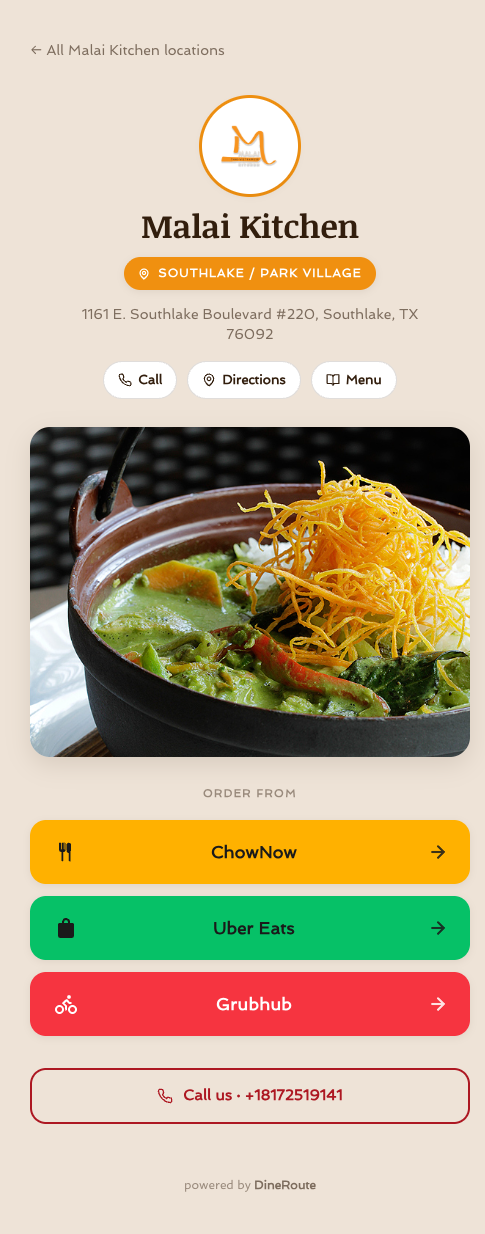
Six questions about brand-aware smart links.
Can I use my own domain?
Yes — on the Pro plan and up, you can point your own domain (e.g. order.yourbrand.com) at DineRoute. We provision the SSL certificate automatically and the smart link runs from your domain end-to-end. From the diner's perspective, DineRoute is invisible.
How do I remove the "Powered by DineRoute" footer?
On the Pro plan, the footer is hidden by default. On the Solo plan, a small "powered by DineRoute" link sits in the footer — this is part of how Solo customers help us reach more restaurants. Upgrade to Pro to remove it.
Is this fully white-label?
On the Pro plan, yes — your own domain, your branding, no DineRoute mentions. The Agency plan extends white-labelling to the agency dashboard, so your clients see your agency's branding in their reports.
What if my brand colors clash with the layout?
We have an automatic contrast checker that warns you if your primary color does not meet WCAG AA contrast on white. If it fails, we either darken the color slightly for accessibility or invert the button styling to dark-on-light. You can override either decision.
Can I upload custom hero photography?
Yes — even on the Solo plan. The auto-populate picks photos from your website, but you can replace any of them with uploaded JPGs or WebPs at any time. We do not impose a stock-photo aesthetic.
Will diners know they are on a third-party page?
On Solo, the footer says "powered by DineRoute" — most diners do not notice and the few who do tend to be marketers themselves. On Pro with your custom domain, there is zero indication. The page looks and feels like a polished sub-section of your own website.
Your brand. Your domain. No DineRoute footer.
Start on Solo and try the auto-populate. Upgrade to Pro when you are ready for your own domain and full white-label.
No credit card. 14-day trial. Cancel any time.